Tech Blog Posts

Full-Stack Local LLM Deployment on MacMini M2

Full-Stack Local LLM Deployment on MacMini M2

Transform your MacMini M2 into a powerful offline AI workstation. This comprehensive guide walks you through deploying a full-featured local LLM stack—including Phi-3-mini generation and embeddings, Qdrant vector search, RAG orchestration with LangChain, and CLIP-based image tagging—all running comfortably within 16GB RAM and served through OpenWebUI. Includes Docker setup, performance benchmarks, and a copy-paste quick-start checklist.
Modern architecture diagram

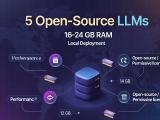
Local LLM Deployment on 16-24GB RAM

Running powerful language models locally doesn't require enterprise-grade hardware. This guide compares five best-in-class open-source LLMs optimized for 16–24 GB RAM setups, complete with a practical deployment blueprint and decision tree to help you choose the right model for embeddings, RAG pipelines, and code generation—all without leaving your infrastructure.