Imagine handing your entire FileMaker knowledge base to an AI agent. The FileMaker Data API MCP Server gives AI agents complete introspection of your FileMaker solution, enabling architect-level coding capabilities.
Transform your FileMaker data into actionable intelligence with real-time monitoring and visualization. Learn how to automatically feed FileMaker data into the Logstash/Elasticsearch/Kibana (ELK) stack using FileMaker's JDBC interface. This comprehensive guide walks you through setting up seamless data ingestion, creating powerful dashboards, and gaining instant visibility into your critical business metrics—all without custom development complexity.
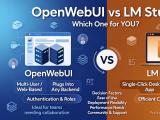
Choosing between OpenWebUI and LM Studio? This comprehensive comparison breaks down the key differences in architecture, ease of use, performance, and ideal use cases. Whether you're a solo developer wanting a one-click desktop experience or a team managing multi-user inference servers, find out which tool aligns with your workflow—plus how each one compares to alternatives like Ollama, vLLM, and Text Generation Inference.
If you've ever felt trapped trying to connect FileMaker to Google APIs securely, you're not alone. The world of OAuth 2.0, service accounts, and JWT tokens can feel like stepping into a cryptographic maze—but it doesn't have to be.
Scale unlimited pooled connections, container fields, and build high-concurrency Java apps with the open-source FileMaker Hibernate 6.5+ dialect that finally solves the JDBC compatibility issues.
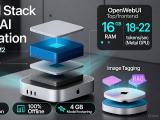
Transform your MacMini M2 into a powerful offline AI workstation. This comprehensive guide walks you through deploying a full-featured local LLM stack—including Phi-3-mini generation and embeddings, Qdrant vector search, RAG orchestration with LangChain, and CLIP-based image tagging—all running comfortably within 16GB RAM and served through OpenWebUI. Includes Docker setup, performance benchmarks, and a copy-paste quick-start checklist.
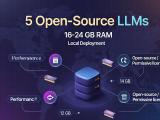
Running powerful language models locally doesn't require enterprise-grade hardware. This guide compares five best-in-class open-source LLMs optimized for 16–24 GB RAM setups, complete with a practical deployment blueprint and decision tree to help you choose the right model for embeddings, RAG pipelines, and code generation—all without leaving your infrastructure.